Automated Email Workflow Using Zapier and Google Sheets

Objective
Automate sending personalised emails through Zoho Mail whenever new rows are added to a Google Sheet, handling multiple simultaneous entries correctly, personalising content per row, and logging timestamps back to the sheet for tracking.
How it works
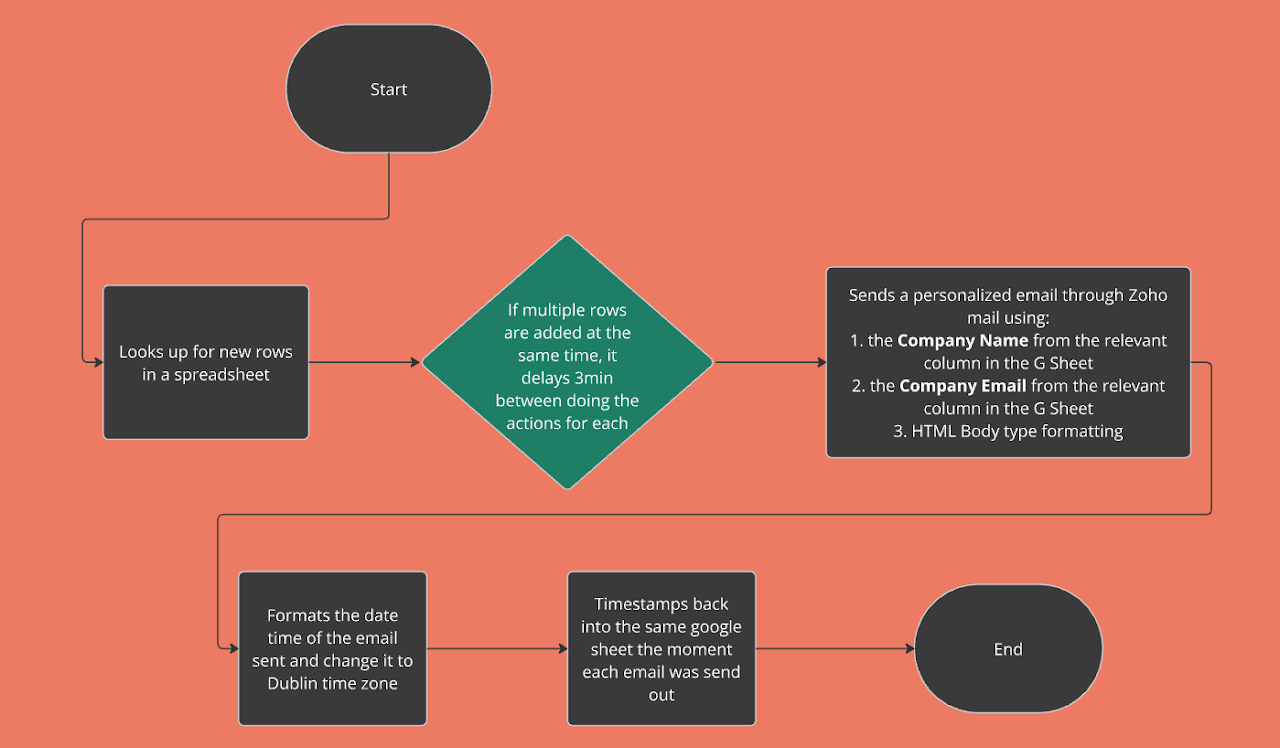
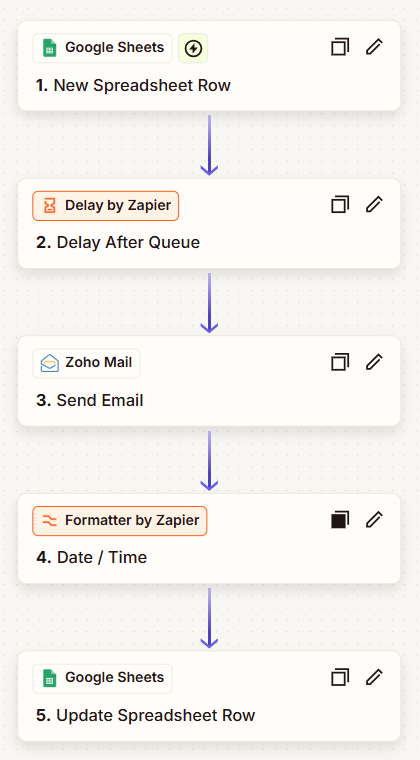
- Row detection: Zapier monitors the Google Sheet for new rows and triggers automatically when entries appear
- Sequential sending: A 3-minute delay is applied between sends when multiple rows are added simultaneously, preventing batching issues and ensuring each email goes out individually
- Personalisation: Each email is populated with the Company Name and Company Email from the corresponding sheet row, with an HTML-formatted body
- Timezone formatting: Timestamps are formatted to Dublin time zone (GMT/BST) before logging
- Activity logging: The exact send timestamp is written back to the Google Sheet, creating a real-time record of all email activity
Key outcomes
- Personalised email sends triggered automatically on new sheet entries, no manual steps required
- Sequential sending logic handles simultaneous entries without batching errors
- Real-time activity logging in the source sheet for tracking and audit purposes
- No manual intervention after the workflow is live